Closing a Critical Security Gap in KeelHub Before Launch
Summary
KeelHub was KeelWorks' internal platform for managing employees and volunteers across a global team. The login flow had no second factor and let users pick their own role, including admin. A volunteer could sign up, select admin, and access private data for everyone in the system. I caught it before launch and rebuilt the authentication flow to close every gap without adding a dollar to the budget.
- Zero cost to operate: authenticator apps selected over SMS and email to keep infrastructure spend at zero for a distributed global team
- Unauthorized access eliminated: role self-selection removed entirely before a single user touched the product
- Three gaps closed in one redesign: self-assigned roles, password-only login, and no second factor addressed together
Problems
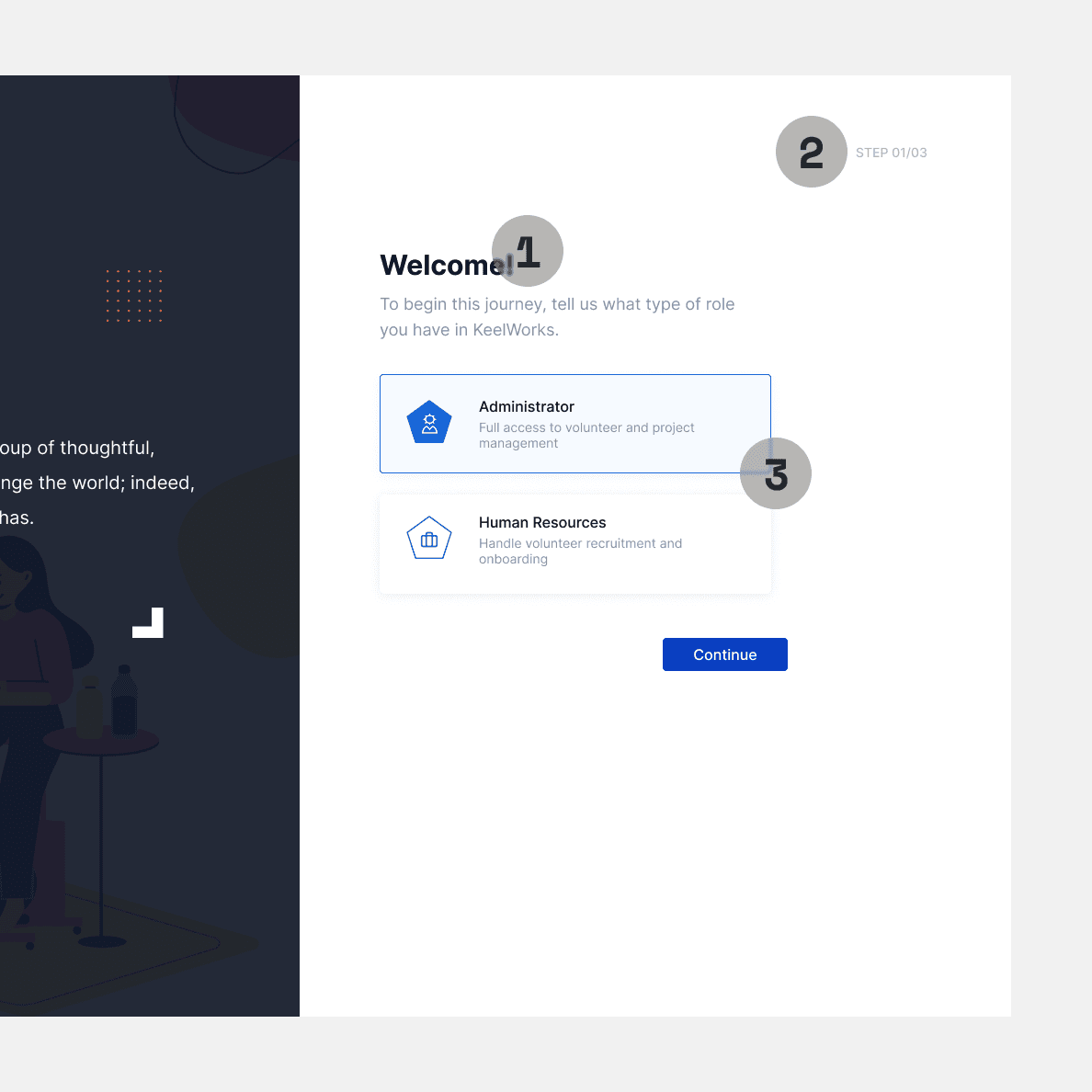
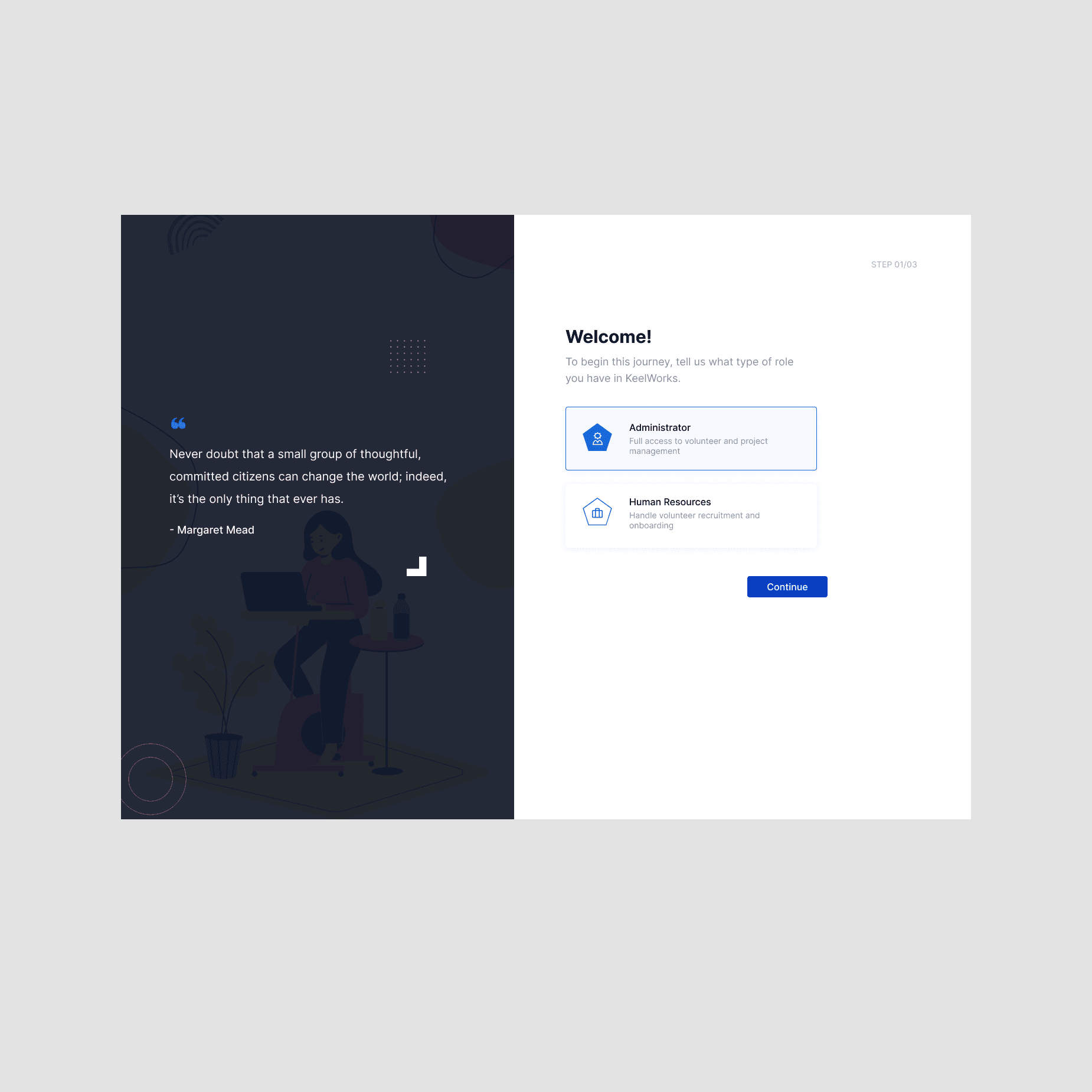
The original login flow put security decisions in the wrong hands. Users self-selected their own role before their identity was confirmed, before HR had verified them, and before any backend check existed to validate their choice. Anyone who reached this screen could claim Administrator access and walk into the entire system.
- 01
Self-role-selection with no enforcement. The user picks Administrator or Human Resources themselves. There is no backend check. Anyone could select Administrator and gain full access to private data for every user in the system.
- 02
No identity verification before this step. The screen is Step 01/03, meaning a user reaches role selection before their identity has been confirmed in any way. There is no invite gate, no email verification, nothing tying this person to the organization.
- 03
No indication of what access each role grants at a consequential level. The descriptions say "Full access to volunteer and project management" and "Handle volunteer recruitment and onboarding" but do not signal to the user that selecting Administrator grants access to private data for the entire organization.
Discovery & Approach
I started by auditing the existing design without being asked. I identified two issues immediately: users could self-assign any role including admin, and there was no second factor anywhere in the flow. Neither had been flagged. I brought both forward with a proposed direction rather than just a problem report.
To validate the approach, I walked a cybersecurity engineer through the proposed solution using a user flow diagram. Showing the work visually made the conversation faster. Their response was direct: "This flow is really good. It's great you considered having the administrator manage the access." That confirmation mattered less as new information and more as proof that independent research, done without a security background, had produced a sound result. They also flagged that a proper role and permissions system would be necessary as a follow-on. That aligned with what the audit had already surfaced.
I then evaluated four authentication methods against two hard constraints: zero operating cost and global accessibility across devices and time zones.
| Solution | Criteria Score | Security | Cost | Accessibility | Privacy | Timeline | Key Comments |
|---|---|---|---|---|---|---|---|
| SMS Verification | 40% | High cost, not feasible globally without SMS service budget. | |||||
| Email Verification | 52% | Better global support than SMS, but still costly due to service needs. | |||||
| Authenticator Apps | 88% | Free, private, secure; ideal balance for global and budget constraints. | |||||
| Hardware Keys | 52% | Most secure, but too new and not backwards-compatible for users without smartphones. |
Solution
The core decision was to remove passwords and self-assigned roles entirely, replacing them with a two-factor flow built on Google sign-in and authenticator apps. This addressed both problems at once: no role selector meant no path to unauthorized admin access, and no password meant one less attack surface for a workforce already being phished. The redesign covered two flows: onboarding for new users and login for returning users.
The New Onboarding
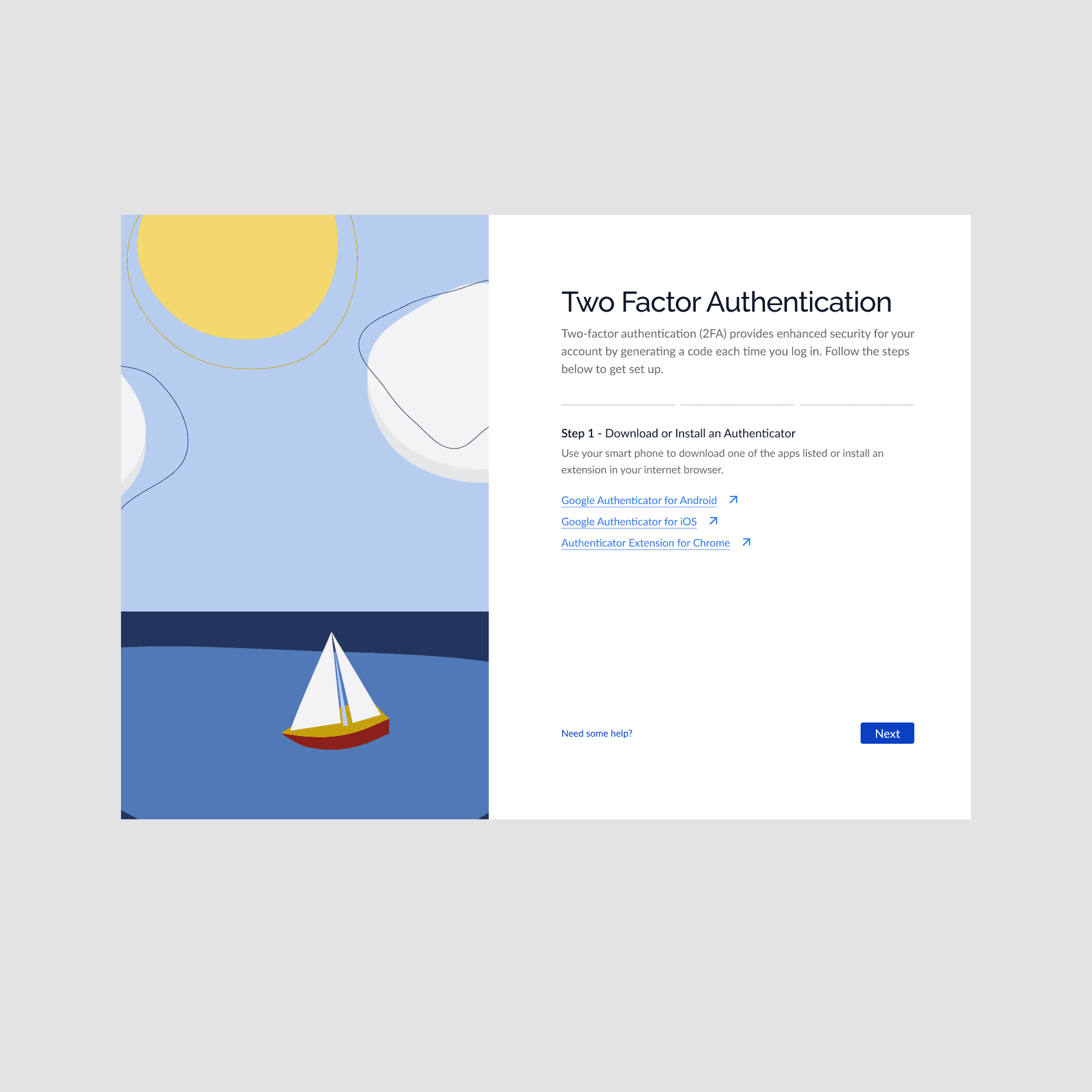
HR sends a verified invite email before the user touches the product. This confirms identity at the point of entry rather than relying on self-reported information. From there, the user follows four steps.
- 01
Download the authenticator app for their device. Android, iOS, and a Chrome extension were all supported to cover users without smartphones.
- 02
Connect their account to the authenticator using a QR code or a manual entry code, depending on their device.
- 03
Enter the six-digit code from the app to confirm the connection is live.
Each step had its own focused screen. No competing actions, no clutter. The flow was built for users who had never used an authenticator app before.
Passwords were removed entirely. The old single text input was replaced with six individual digit fields, one per character. This made the expected input format obvious and reduced entry errors without any instructional copy.
Role assignment was removed from the user flow. Admins assign roles on invite through the backend. Users never see a role selector.
Impacts
Zero Cost to Operate
The solution was built around a hard constraint: no authentication budget for a distributed global team. Authenticator apps cost nothing to operate, worked offline, and required no paid service to maintain. SMS and email verification were never built. The solution scaled to a global team without adding a dollar to infrastructure spend.
Unauthorized Access Eliminated
Role self- selection was the most direct path to a data breach in the product.Any user could claim admin and access private data for everyone in the system.Moving role assignment to the backend and locking it behind an admin invite closed that path entirely before a single user touched the product.
Three Gaps Closed in One Redesign
Self- assigned roles, password - only login, and no second factor were three separate risks that each made the product vulnerable on its own.The redesign addressed all three together.A volunteer base regularly exposed to phishing attempts now had a login flow with no password to steal and a second factor tied to a physical device.